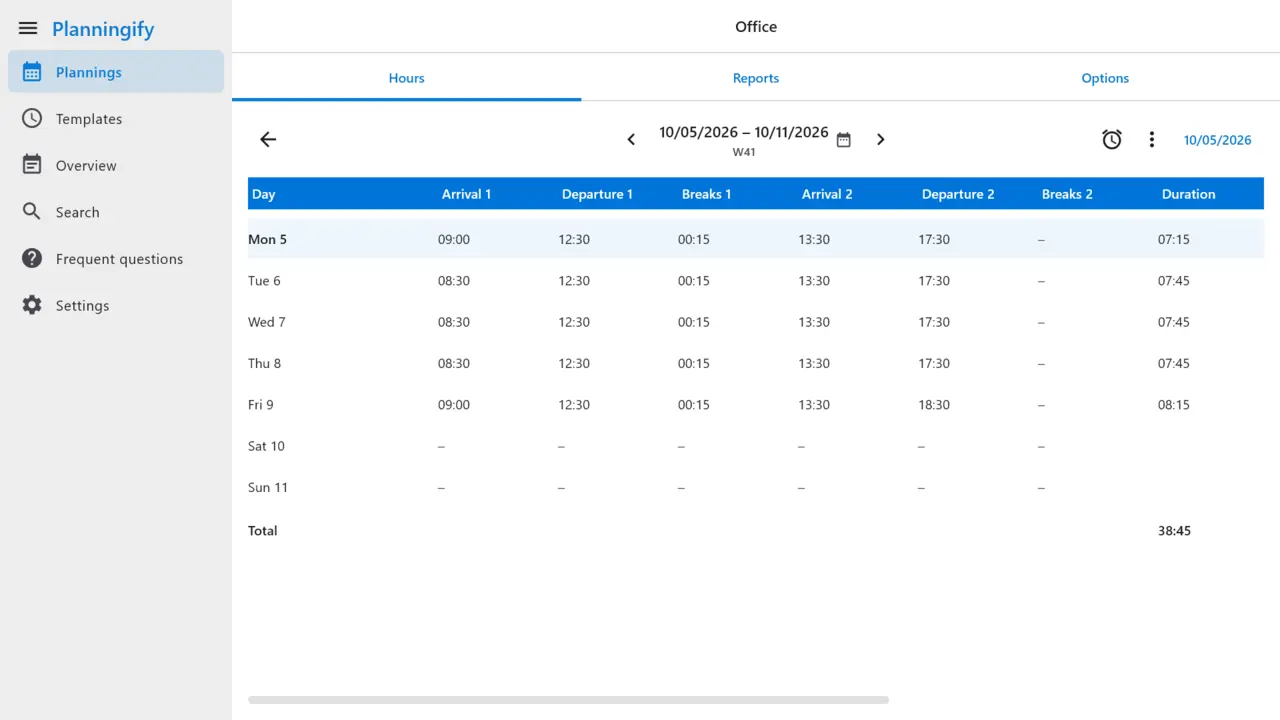
A weekly grid, fast to fill in
Arrival, departure, breaks and comments for each day, two shifts if you need them, default breaks, copy of the previous day or week, and a clock-in button. Night shifts that cross midnight are counted on the right day.
 Planningify
Timesheet and work hours tracker
Enter your arrival, departure and breaks in a weekly grid: Planningify adds up your hours, counts your overtime and prints your timesheet as a PDF, ready to hand in. On Android, iPhone and Windows.
Free to download, with ads. A full version and an ad-free version are offered by subscription through your app store.
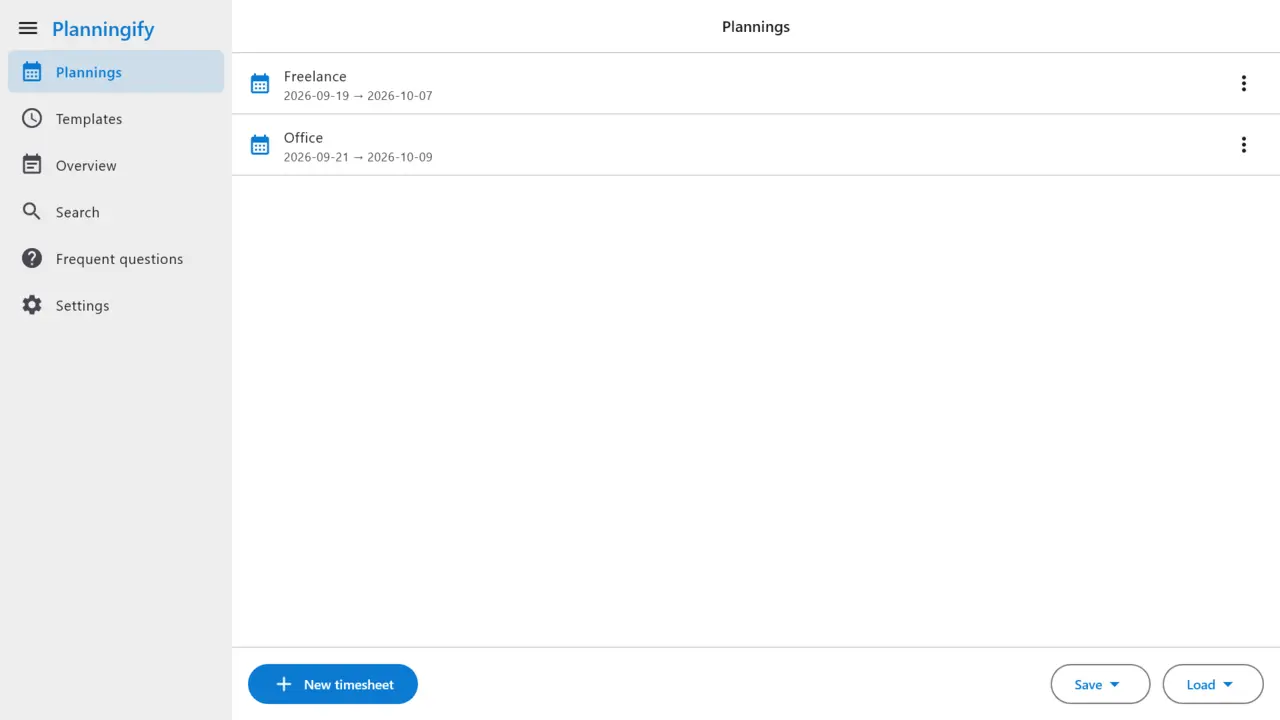
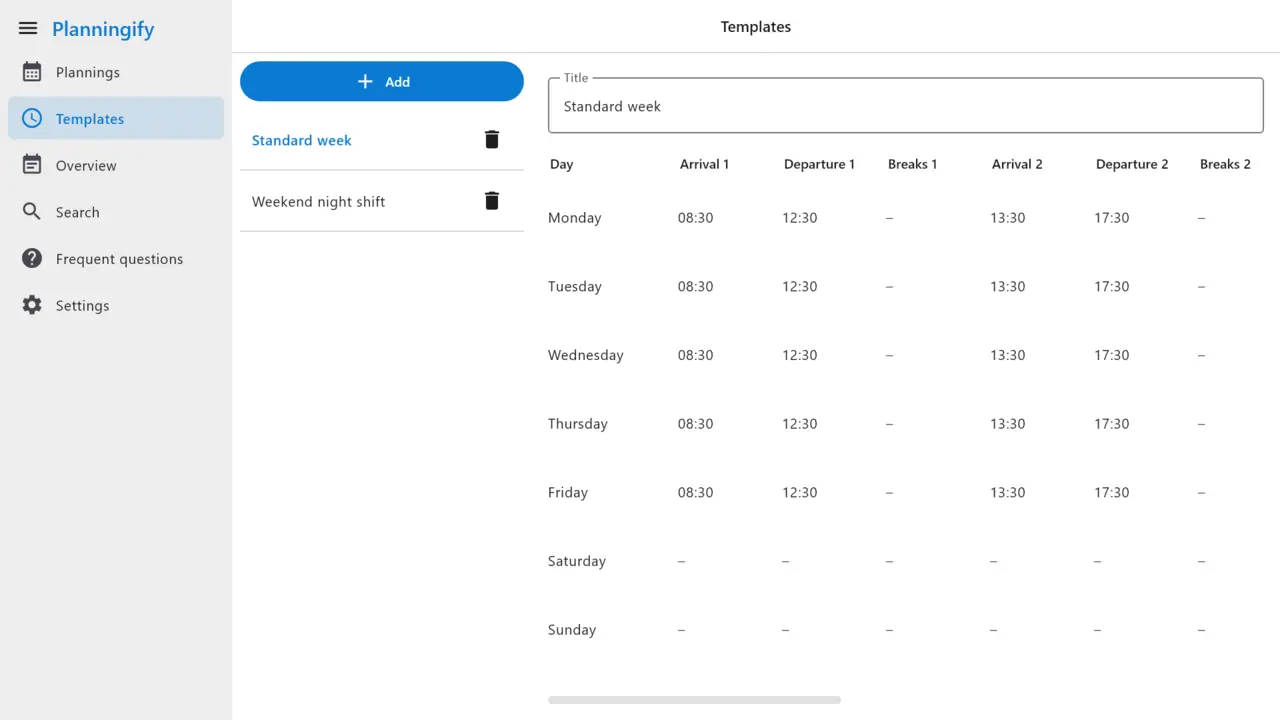
One planning per job, client or project, with its colour, its columns and your usual weeks as templates.
Arrival, departure, breaks and comments, up to two shifts a day, or one tap on the clock-in button.
Week, month or year: a PDF timesheet to print or send, or a CSV or Excel file for your spreadsheet.
Arrival, departure, breaks and comments for each day, two shifts if you need them, default breaks, copy of the previous day or week, and a clock-in button. Night shifts that cross midnight are counted on the right day.
The overtime wizard compares the hours you worked with your planned hours. Set a paid-hour rate for a day (for example 125 % on Sundays) and see your totals by week, month and year.
Add columns for mileage, meals, bonuses or anything else, and computed columns with formulas: night hours, allowances or an estimate of your pay. Every amount is only an estimate, never an official document.
Week, month and year reports, PDF timesheets with headers and page numbers, CSV import and export, Excel export, and a chart of your hours by month.
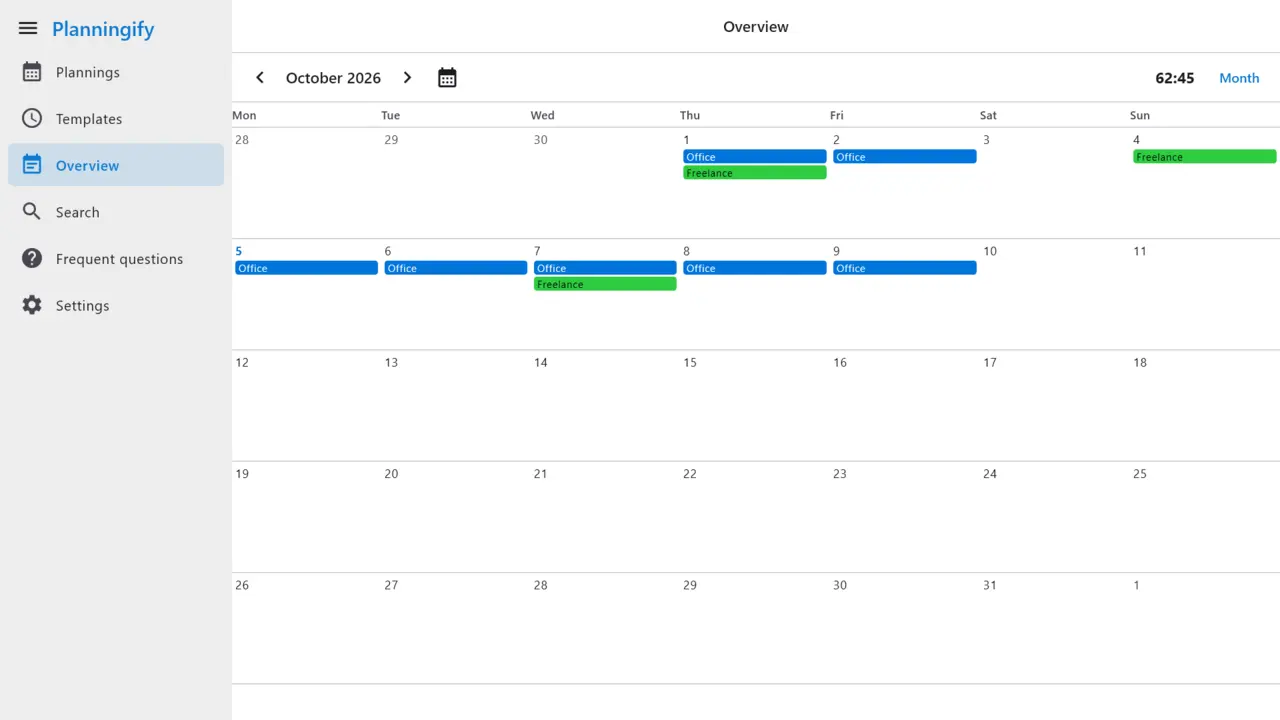
On Android, Planningify can write your plannings into a calendar of your phone, through the calendar app you already use. See every planning together by day, week, fortnight or month, with the public holidays of your country.
No account and no sign-up: your hours are stored on your device. Weekly backups to a folder or to Dropbox if you want them, local safety copies, and the same backup restores on Android and on Windows.
No. Planningify works without an account or sign-in. Install it and start logging your hours.
On your device, and in the backups you turn on (Android backup, a folder of your choice or Dropbox). We never receive your hours.
Open your planning and fill in the arrival, departure and break of each day, or use the clock-in button. Templates fill in your usual weeks in one go.
The overtime wizard compares the hours you worked with the hours you planned, by week or over the period you choose. You can also set a paid-hour rate for a given day.
It can show an estimate, with formula columns you set up yourself. It is only an estimate: Planningify produces no payslip and no official document, and your payslip remains the reference. It is not an invoicing tool either, but it can help you prepare your invoices.
From the reports of a planning: choose the week, the month or the year, then print or share a PDF, or export a CSV or Excel file for your spreadsheet.
On Android phones and tablets, on iPhone and iPad, and on Windows. A backup made on Android restores on Windows, and the other way round.
Install Planningify and log your first week in a few minutes. No account needed.